
Everything your front door and payroll day need.
Six jobs, one simple app: verified clock-ins, one-click payroll, a weekly roster, visitor sign-in and live insight, running on the tablets and phones you already own and built to hand you back hours of admin every week.
14-day free trial · No credit card · Cancel anytime
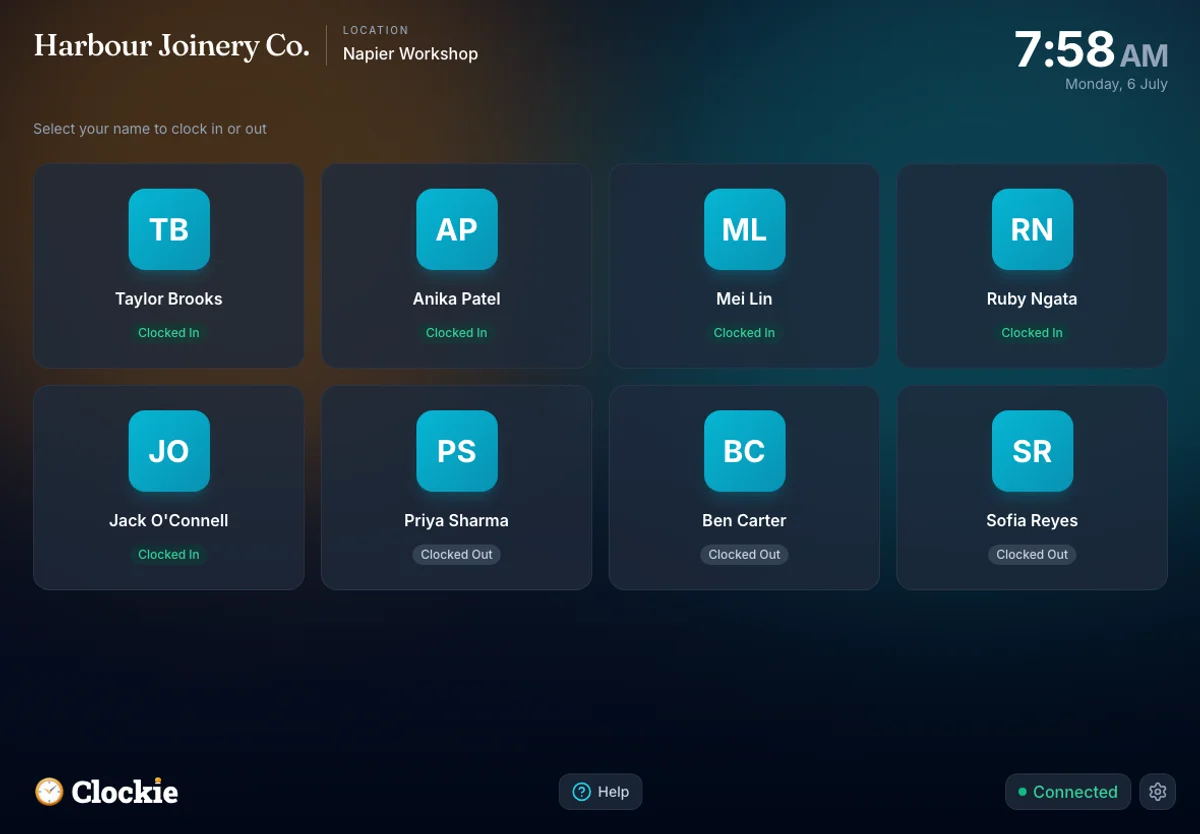
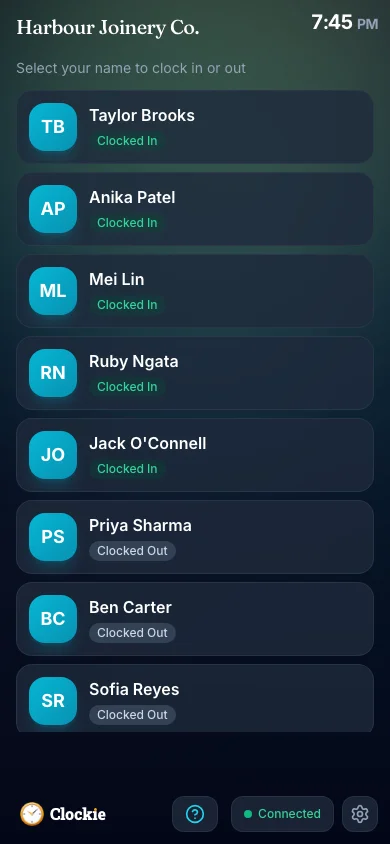
Clock in with a tap. Verified.
A tablet by the door clocks the whole team in — accurate to the minute, verified it was really them, and never lost to flaky Wi-Fi. No more paper timesheets filled in from memory.
- Offline-firstTaps save on the device, sync when the connection returns
- Face verificationOptional per business — matching runs on the device against a numeric template
- PIN & photo modesGraduate strictness to whatever your site needs
- Tap a badge, clocked inOptional NFC fobs on Android kiosks, printed QR cards, or a rotating QR on their phone — turn it on in Settings > Kiosk
- Kiosks at every entranceUnlimited devices — workshop door, site office, staff room
- Their own phone works tooA personal clock for the crew that starts on site
- GPS stampingSee where remote clock-ins actually happened
- Clock-out remindersText whoever is still clocked in, before it becomes a payroll fix
Hours become payroll — in one click.
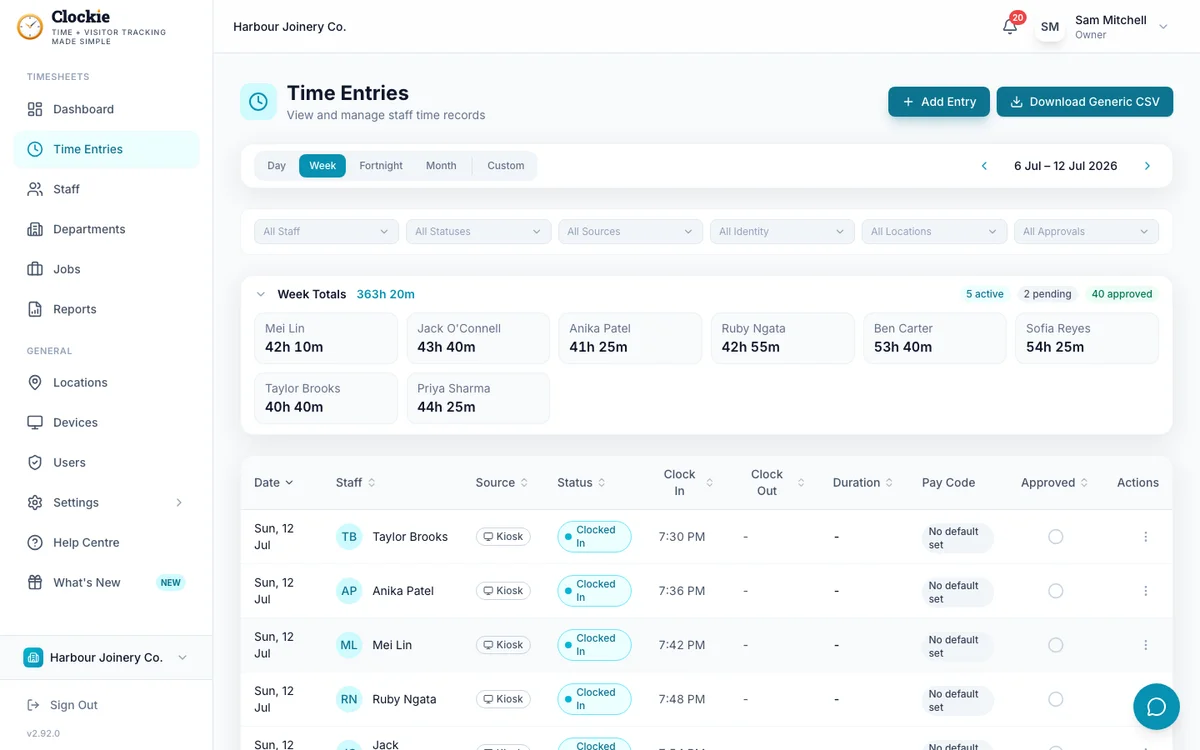
Accurate, auditable start and finish times — recorded, not remembered — land as payroll-ready timesheets. Review, approve, and send them straight to the payroll you already run.
- Xero & Crystal two-way syncApproved hours push straight in
- CSV for 9 NZ payroll systemsMYOB, iPayroll, Smartly, PaySauce & more
- Approvals & audit trailCheck hours before payroll — every edit is logged
- Rounding & breaks, automaticRound to your increment; NZ statutory breaks deducted before payroll
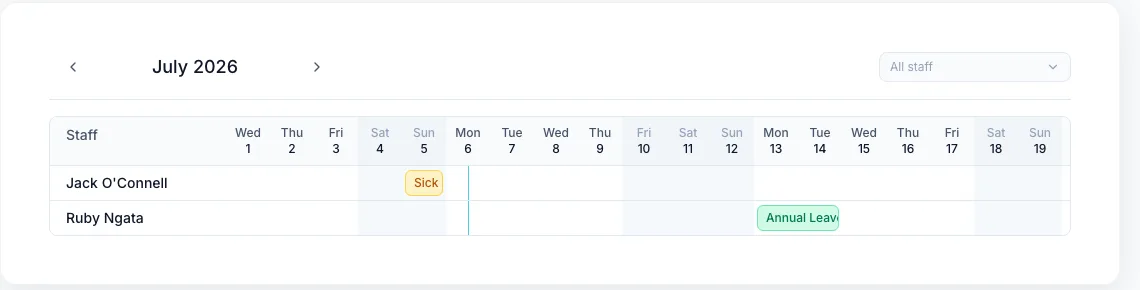
- Leave from kiosk or phoneStaff request right where they clock in — or from their own device
- Leave calendarWho’s away and when — weekends and NZ public holidays marked
- Transparent for staffApproval status staff can see — and balances where your payroll provides them
The roster that starts from your time clock.
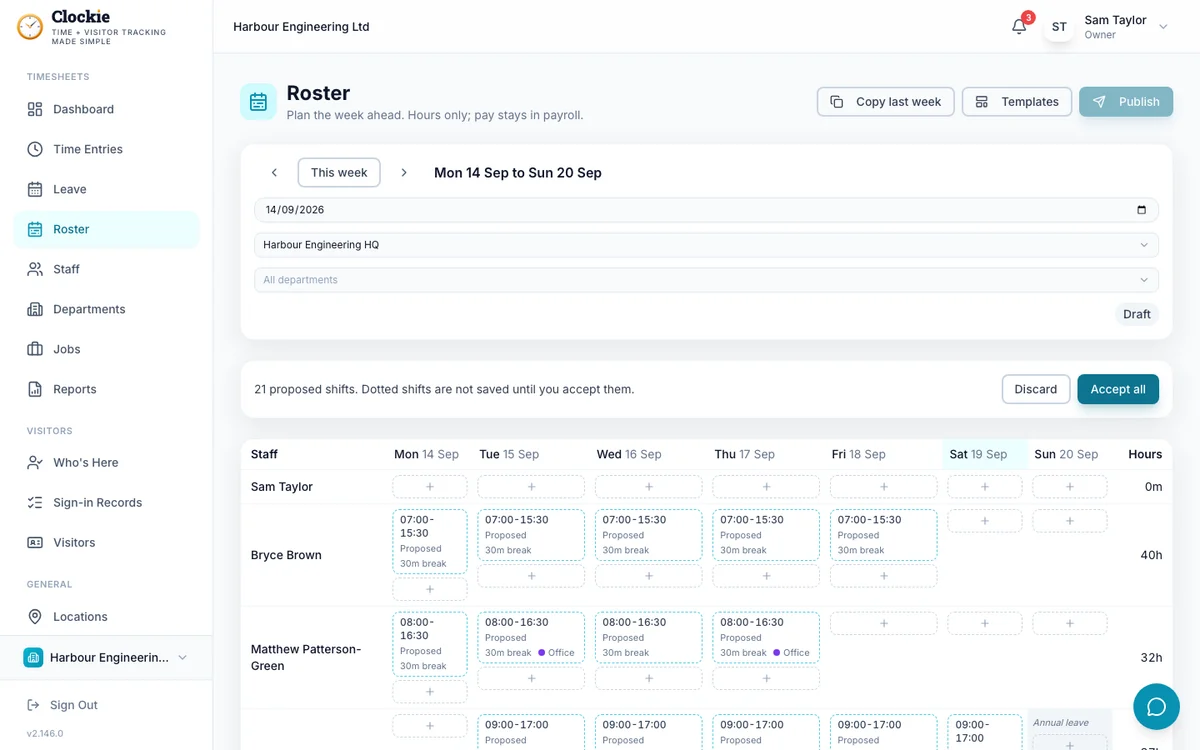
Most rosters start as a blank grid. Clockie already knows who worked when, so next week can start from what actually happened, and every proposed shift says why it is there. Included in your plan.
- Starts from what actually happenedDraft next week from the last eight weeks of clock-ins, with a reason on every proposed shift
- Import the roster you haveInside Clockie: paste a spreadsheet or a message, or upload a photo of the whiteboard
- Week grid per locationCopy last week, save templates, and see approved leave shaded on the grid
- Publish by email, text or WhatsAppStaff see their shifts on their own phone; publishing again tells only those whose shifts changed
- Rostered today on the kioskA one-line note for an early or unrostered clock-in; the clock never blocks
- Rostered vs ActualOn time, early, late and unrostered badges, and a report of planned against actual hours
The front door, handled.
The same tablet signs visitors and contractors in — inductions, host alerts, and a live answer to the question that matters in an emergency: who is on site right now?
- Replaces the paper bookProfessional sign-in on the kiosk you own
- Inductions & evac plansSite hazards, your evacuation plan, digital signature
- Host alertsEmail or WhatsApp the host the moment their visitor arrives
- Evacuation roll-callOne tap musters everyone — staff and visitors
- Live on-site registerWho is here now, across every location
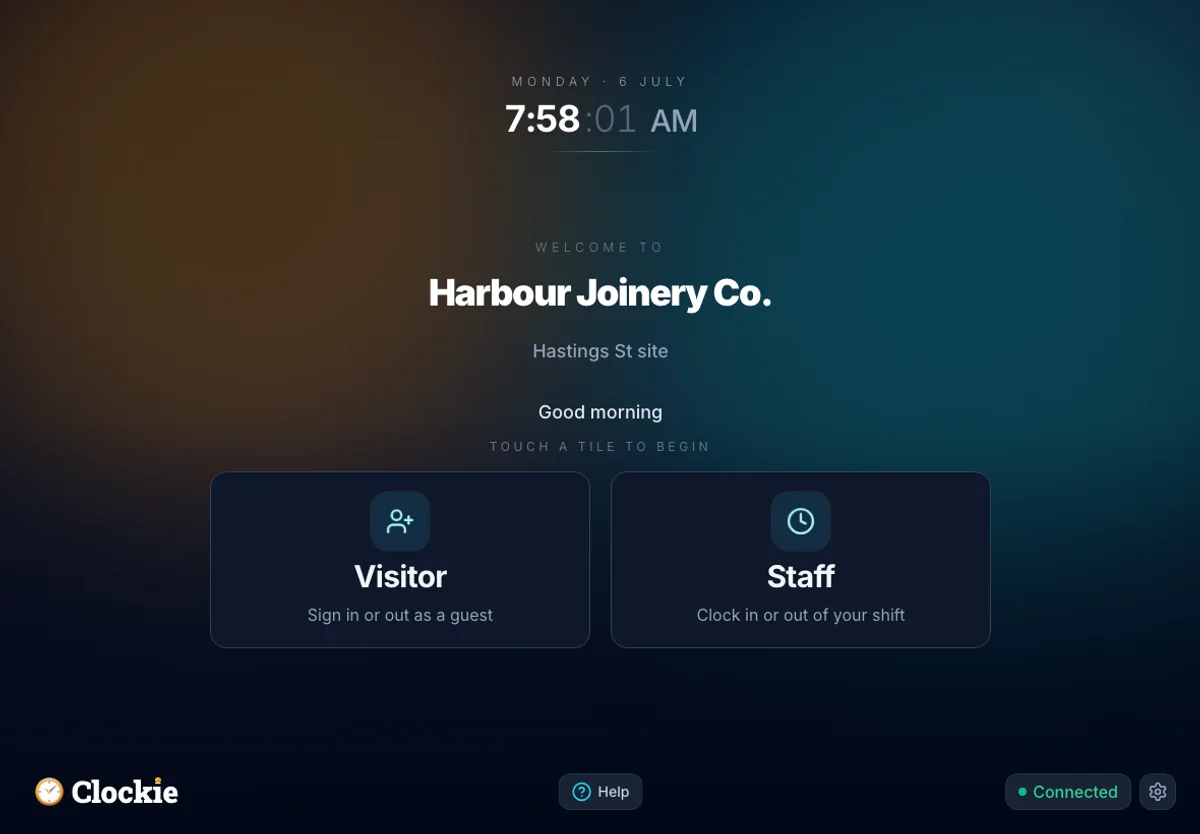
See the whole operation at a glance.
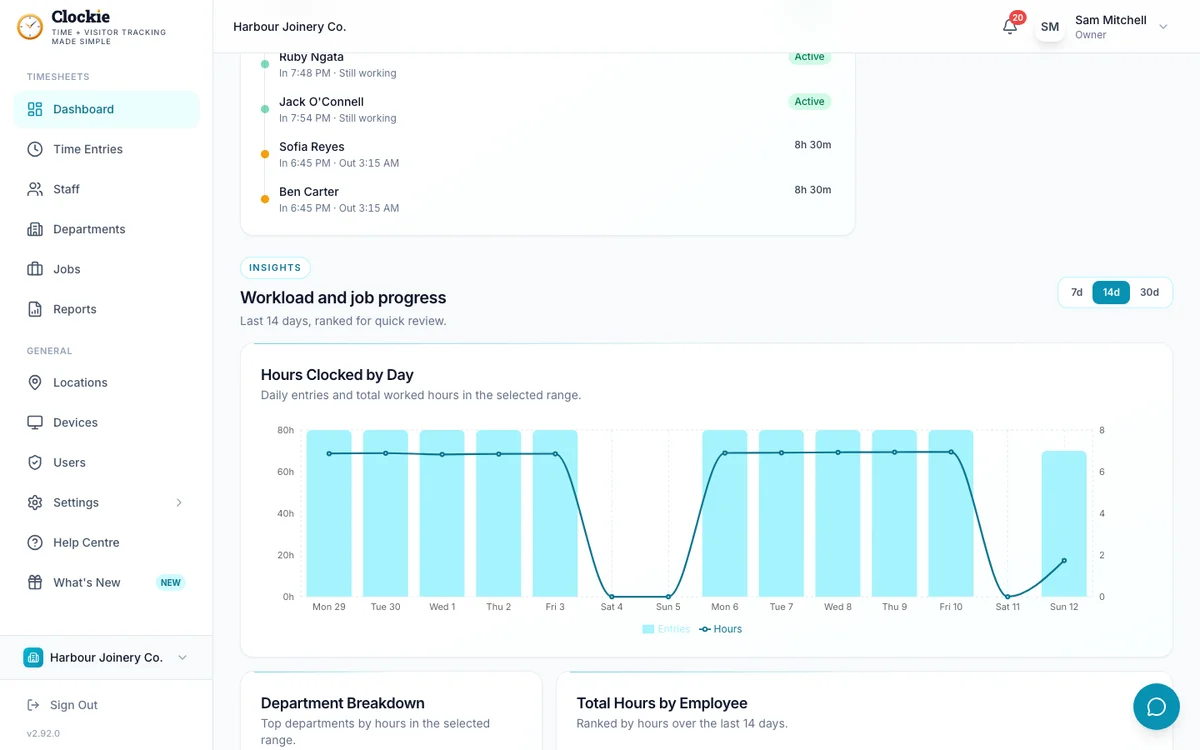
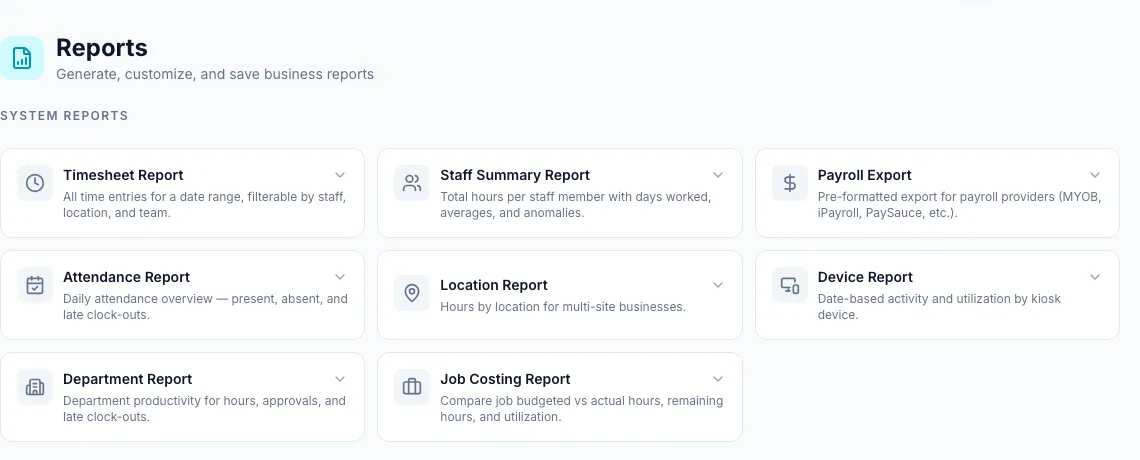
Hours, labour cost, attendance and visitors roll up into live dashboards, charts and reports — and the numbers come to you before you ask.
- Real-time dashboardWho is in, hours today, attention queue
- Charts & trendsWeekly hours by employee, hours by day, visitor trends
- Filterable reportsSlice by date range, staff, department or job
- Job costing vs budgetCatch the over-budget job while you can still fix it
- Daily & weekly summariesThe numbers arrive in your inbox automatically
- Smart alertsKnow when a kiosk drops offline
Runs on what you own. Built where you are.
No app store, no proprietary hardware, no lock-in — software made in Hawke’s Bay that treats your data like it’s yours, because it is.
- Any deviceAndroid or Apple tablets, touch screens, computers, phones — installs from the browser
- Unlimited devicesNo per-device fees, ever
- Security built inPer-tenant isolation, MFA, audit logs, retention controls
- NZ-built & accountableHawke’s Bay company, Australasian hosting, Privacy Act
- Your data exportsCSV out whenever you want — no hostage-taking
- API & webhooksConnect your own software via the REST API, or push events to your systems with webhooks — on every plan
The Clockie shop — order a preconfigured kiosk tablet, plug-and-play out of the box, delivered in about 2 days.
Pick the feature that sold you. Start there.
Every one of them is included from day one — 14 days free, no credit card, from $29/month NZD (excl. GST).