
Approved hours, totalled and ready to key into Thankyou Payroll
Thankyou Payroll keeps timesheet entry inside its own portal, so Clockie gives you the next best thing: verified, approved, break-adjusted hours per person in a clean report you can key from or check against in minutes.

Thankyou Payroll
Receives a timesheet file already shaped to its import spec.
- Report format
- Hours summary (.csv)
- Columns
- Employee name, date, hours
- Hours
- After NZ breaks and rounding
- Scope
- Approved entries only
How it works
From clock-in to pay run in four steps — the hours do the walking.
Staff clock in
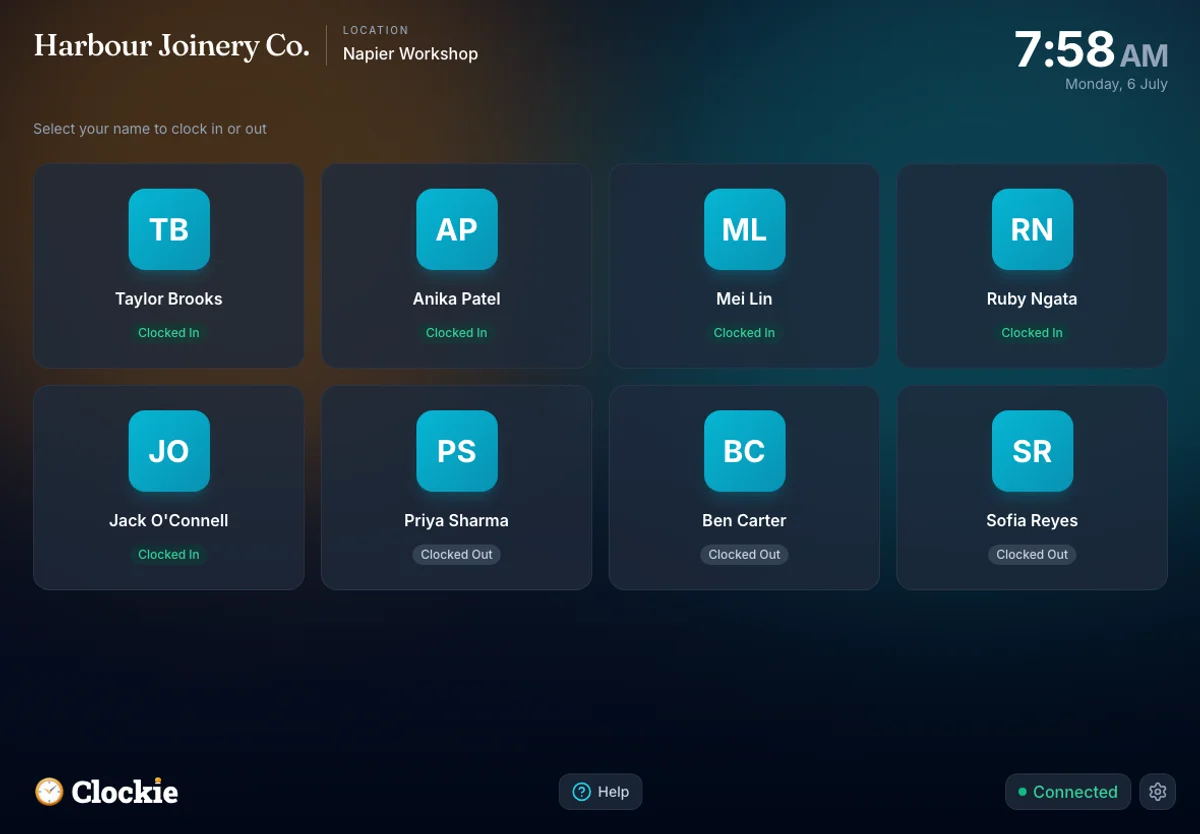
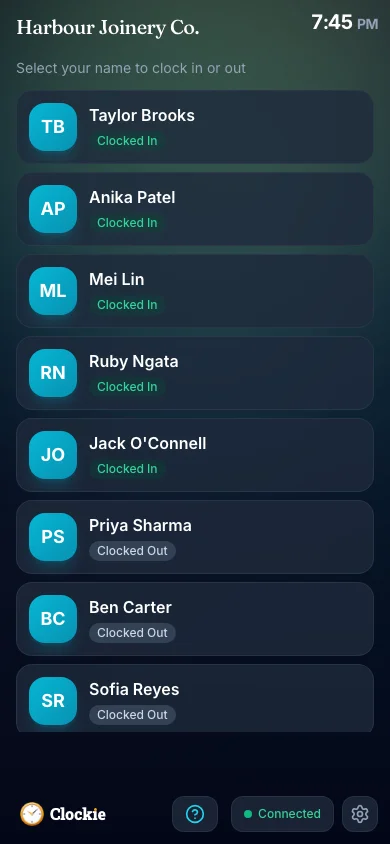
Your team clocks in and out on a shared tablet or their phone, verified by PIN, photo or face, or tap-and-go with an optional badge or QR in place of PIN and face checks. Nothing gets written on a paper sheet and typed up later.
You approve the period
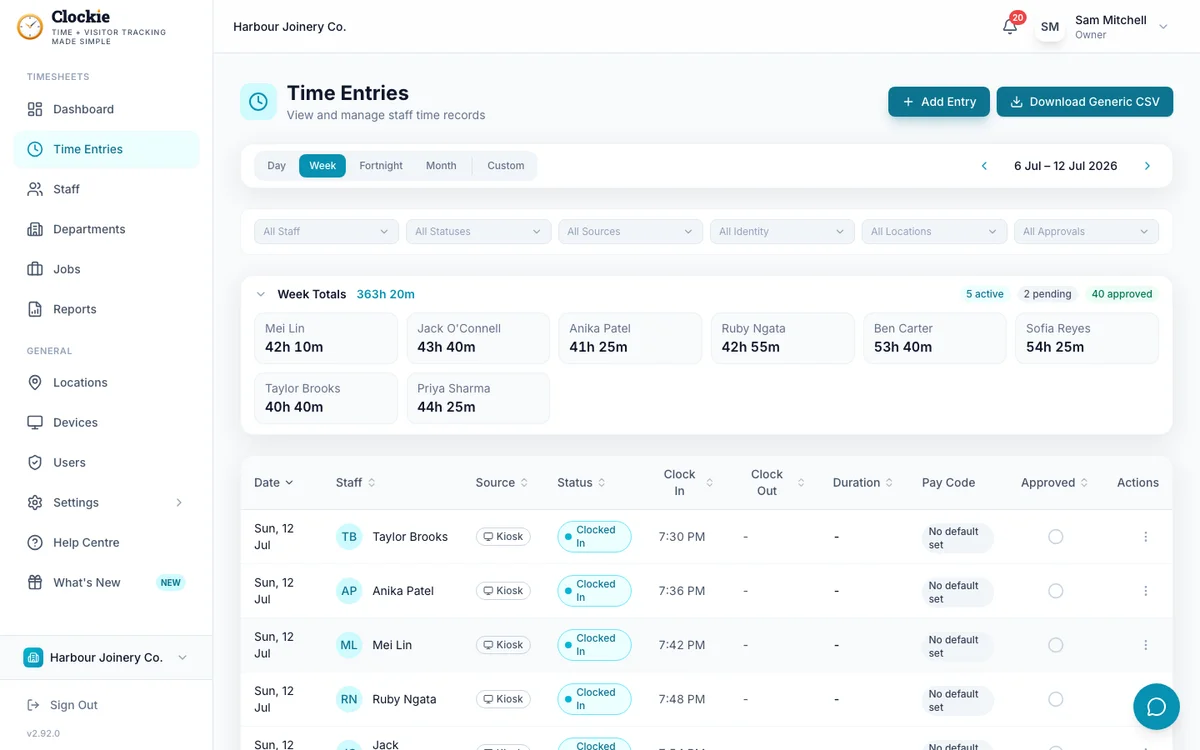
Review the timesheets with break deductions and rounding applied, and fix anything odd before it becomes a payroll problem.
Download the hours report
One click gives you approved hours per person per day, already totalled, with the audit trail still available in Clockie.
Key or check in Thankyou Payroll
Enter the totals in Thankyou Payroll’s timesheets, or use the report to check what staff have entered themselves before you process the pay.
How the hours reach Thankyou
Approved hours in Clockie
Verified clock-ins with breaks, rounding and pay codes already applied.
Timesheet file
.csv
Thankyou pay run
Receives a timesheet file already shaped to its import spec.
Clockie writes the file to Thankyou's own import spec, so the upload is the whole job — no reshaping columns in a spreadsheet first.
What the hours report covers
Thankyou Payroll publishes no third-party timesheet import, so Clockie does not pretend to write one. This is a reconciliation and keying report, and here is exactly what it contains.
- File type
- Comma-delimited .csv with a header row, one row per person per day, named thankyou-hours-report-<date>.csv.
- Columns written
- Employee Name, Date and Hours.
- Hours
- Decimal hours after your break-deduction and rounding rules are applied, so the totals match what you approved.
- Dates
- Written DD/MM/YYYY in your business timezone.
- Scope
- Only approved entries with a clock-out appear, so unapproved or still-running shifts never reach the report.
- How it is used
- As the source for keying hours into Thankyou Payroll’s timesheets, or as a check against hours staff have entered themselves.
- Full detail if you need it
- The generic CSV export gives every field Clockie holds, including clock-in and clock-out times, departments, jobs and notes, for deeper reconciliation.
Why teams pair Clockie with Thankyou
Verified hours, not remembered ones
PIN, photo or face verification at the kiosk means the totals you key come from real clock-ins, not from what someone thinks they worked last Tuesday.
NZ breaks handled before you key
Break deductions and rounding rules are applied in Clockie, so you are entering hours that already reflect your policy rather than doing the maths yourself.
A record that outlives the pay run
Every clock-in, edit and approval stays in Clockie with a full audit trail, which matters when someone queries a shift months later.
Everything else on the same tablet
Visitor and contractor sign-in, health and safety questions and one-tap evacuation reporting run alongside staff time, which payroll software does not set out to cover.
About Thankyou Payroll
Thankyou Payroll is a Dunedin-based New Zealand payroll provider and social enterprise, used by thousands of Kiwi employers and operating as an IRD-listed PAYE intermediary. Its timesheets are entered through its own portal and employee app, so hours from other systems are keyed or checked rather than imported.
Thankyou integration questions
Can Clockie import timesheets into Thankyou Payroll?
No, and we would rather say so plainly. Thankyou Payroll publishes no third-party timesheet import, so Clockie provides an approved hours report instead — totals per person per day, ready to key into Thankyou Payroll or to check staff-entered hours against.
Then why use Clockie with Thankyou Payroll?
Because the hard part is capturing hours accurately, not typing them. Clockie gives you verified clock-ins, automatic NZ break rules, an approval step and an audit trail, so the numbers you key are defensible and take minutes to enter.
What is in the hours report?
Employee name, date and decimal hours for every approved entry in the period, after break deductions and rounding. If you need more detail, the generic CSV export includes clock-in and clock-out times, departments, jobs and notes.
Are breaks and rounding applied to the totals?
Yes. Hours are calculated after your break-deduction and rounding rules run, and only approved entries with a clock-out are included, so the report matches the timesheets you signed off.
Will this change if Thankyou Payroll adds an import?
If Thankyou Payroll publishes a timesheet import or an API, we would build to it. Clockie already runs live API syncs with Xero Payroll and Crystal Payroll and writes provider-specific files for other NZ payroll systems.
What does this cost?
Nothing extra. Reports and exports are included in every Clockie plan, from $29 NZD per month excluding GST with five staff included, then $2 per extra staff member.
Clockie syncs live to Xero Payroll and Crystal Payroll, and writes provider-formatted files for other New Zealand payroll systems. See all integrations.
Capture the hours, then key them once
Try Clockie free for 14 days. No credit card. Verified clock-ins, automatic NZ breaks, and an approved hours report whenever you need it.
No credit card • Cancel anytime • NZ-based support